

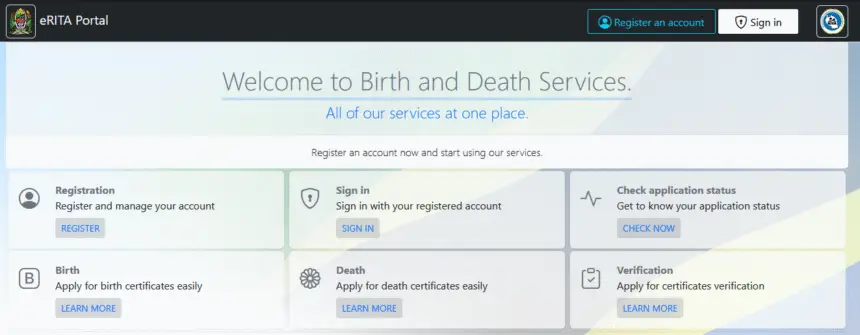
The RITA portal (https://erita.rita.go.tz) provides Tanzanians with a secure way to verify birth certificates online, you can now confirm the authenticity (verify) of any issued birth certificate directly from your computer or smartphone. At Habarizone, we’ll guide you step by step on how to verify birth certificate online using the official eRITA platform.
Step-by-Step Guide how to Verify Birth Certificate
Habarizone
1. Visit the RITA Portal
Open your browser and go to erita.rita.go.tz
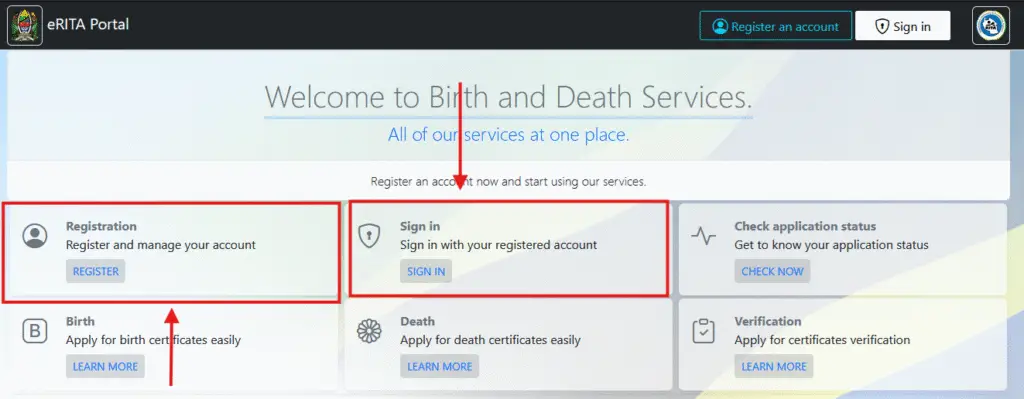
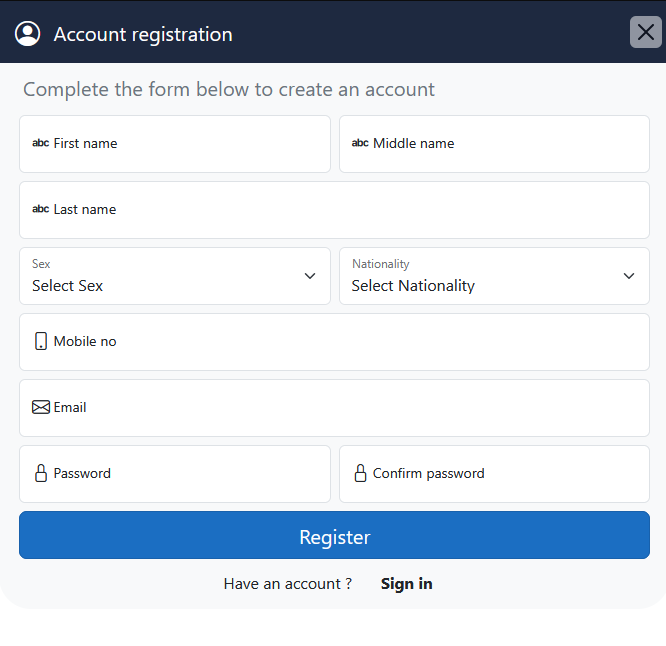
2. Create a RITA Account (First-Time Users)
Click “Registration” or “Create Account” and provide the following:
- First Name
- Middle Name
- Last Name
- Nationality
- Mobile Number
- Email Address
- Password & Confirm Password
Click Register after filling the form
3. Activate Your Account
After registration, check your email inbox (and spam/junk folder) for a confirmation email from RITA. Click the activation link to verify your account.
4. Sign In
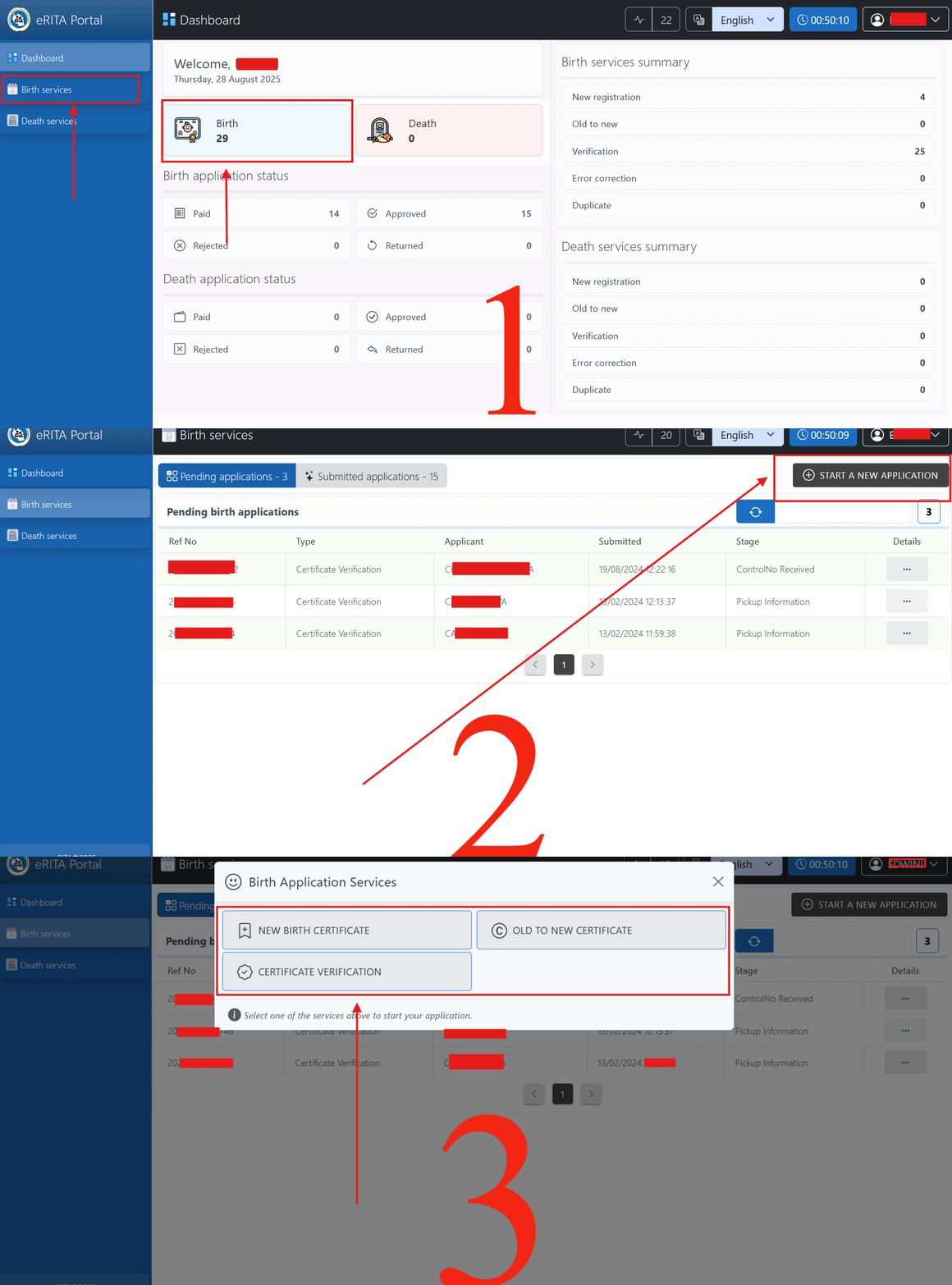
Once your account is activated, go back to erita portal and click “Sign In” using your registered email and password and You will be redirected to the dashboard, where you can see a summary of Birth and Death services as show on this gif bellow.
While on the dashboard, you will see a menu called “Birth” or “Birth Services”. Click on it, as shown in Image 1. You will then be redirected to another page, as shown in Image 2.
Click on “START A NEW APPLICATION”. A popup or prompt will appear, asking you to choose the service you need, as shown in Image 3:
Birth Application Services
- New Birth Certificate – For those applying for a new certificate.
- Old to New Certificate – For those requesting changes to an existing certificate.
- Certificate Verification – For those who want to verify their birth certificate for purposes such as loan applications, board registrations, or official documentation.
Select the service you need, then fill out the provided form with accurate details. After saving, you will be redirected to the Declaration Page. Confirm the declaration, and you will then be redirected to the Payment Page, where a control number will be generated.
Use the generated control number to make the payment, then wait for your request to be processed. Processing usually takes about a week, depending on the queue.
Within a week, continue checking your account under the “Birth Services” menu in “Submitted Applications” to see if your certificate has been issued.
For those who request certificate verification, New Birth Certificate & Old birth certificate to new, then To determine if your request if it has been processed, look for the certificate verification, as shown in the image below. If you do not see a number or any value, it means your request has not yet been processed, so please continue to wait. But if you see a number like 232324fb526-B, 230787526-BV Thats means your application has been processed so click on Three dotes buttons on Details to see the status.
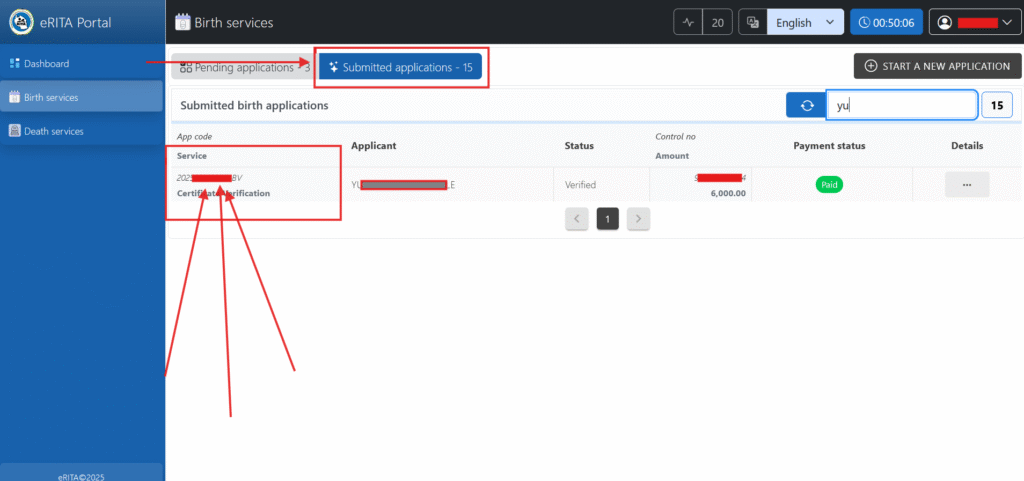
Reminder, after review on how to verify Birth Certificate & success submitting your application and making the payment, regularly check the “Submitted Applications” section under “Birth Services”. Once the certificate verification number appears, your request has been processed and issued. If not, please continue to wait until it is completed.





thank you brother, very helpfully content.